
Every feature you need.
None of the busywork.
Qwikfolio turns a simple text message into a moderated, branded, ready-to-show collection — automatically. Every feature on this page is included with every number.
What makes Qwikfolio different
Plenty of tools can collect photos. Qwikfolio is built so the people sending them don't have to learn anything — and the people showing them don't have to babysit anything.
It's just a text
No app to download, no account, no password. If a phone can send a text, its owner can contribute — grandparents included.
Your number stays private
Every collection gets its own dedicated number. Contributors never see your personal cell, and there's no SIM card or second phone to manage.
AI checks every photo first
Eleven content-safety categories — including offensive words hidden inside an image — are screened before anything reaches a screen.
Search what's in the picture
Type “cake,” “jersey,” or “sunset” and find every match. AI understands the objects and the words visible in each photo — no tagging.
Video, edited for you
Upload a clip up to three minutes long and AI picks the best six seconds — people, action, good light — ready for the slideshow.
Live everywhere at once
One approved photo appears on your slideshow, gallery, website, and TV in real time — and in your next one-click PowerPoint.
A private number that does the collecting
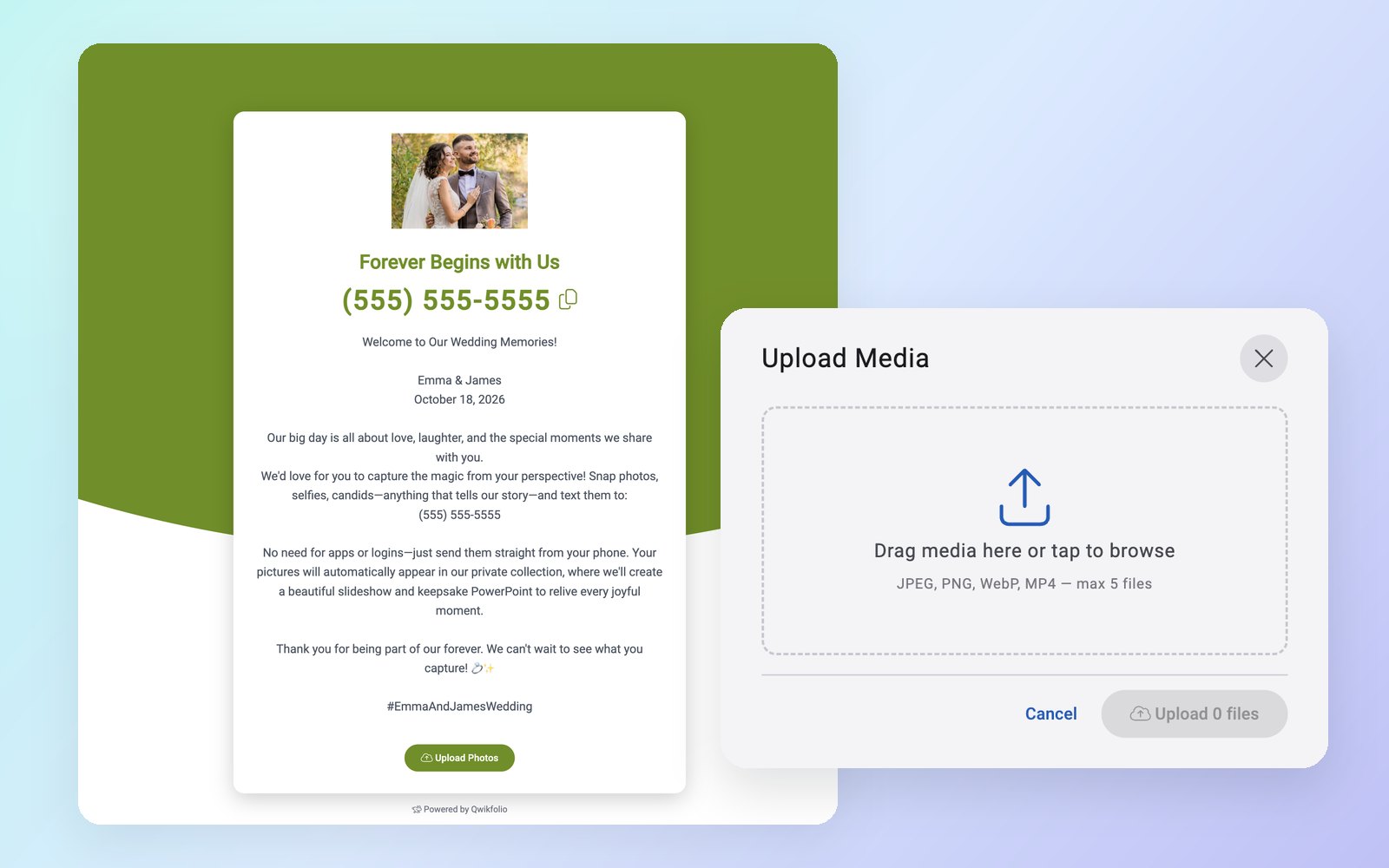
Claim a dedicated number for each event, client, or location. Share it on a sign, a program, or a social post — photos arrive by text, and anything else can be uploaded from your branded landing page.
- Photos by text from any phone — iPhone photos are converted automatically
- Photo and video uploads from your landing page, or up to 50 files at a time in the app
- Branded landing page with your logo, colors, instructions, and a tap-to-copy number
- Print-ready QR code in your brand color for tables, badges, and signage
- Contact card — save the number to your phone's contacts, complete with your name and logo
- As many numbers as you need, each with its own branding, settings, and rules
Brand-safe by default, fully in your control
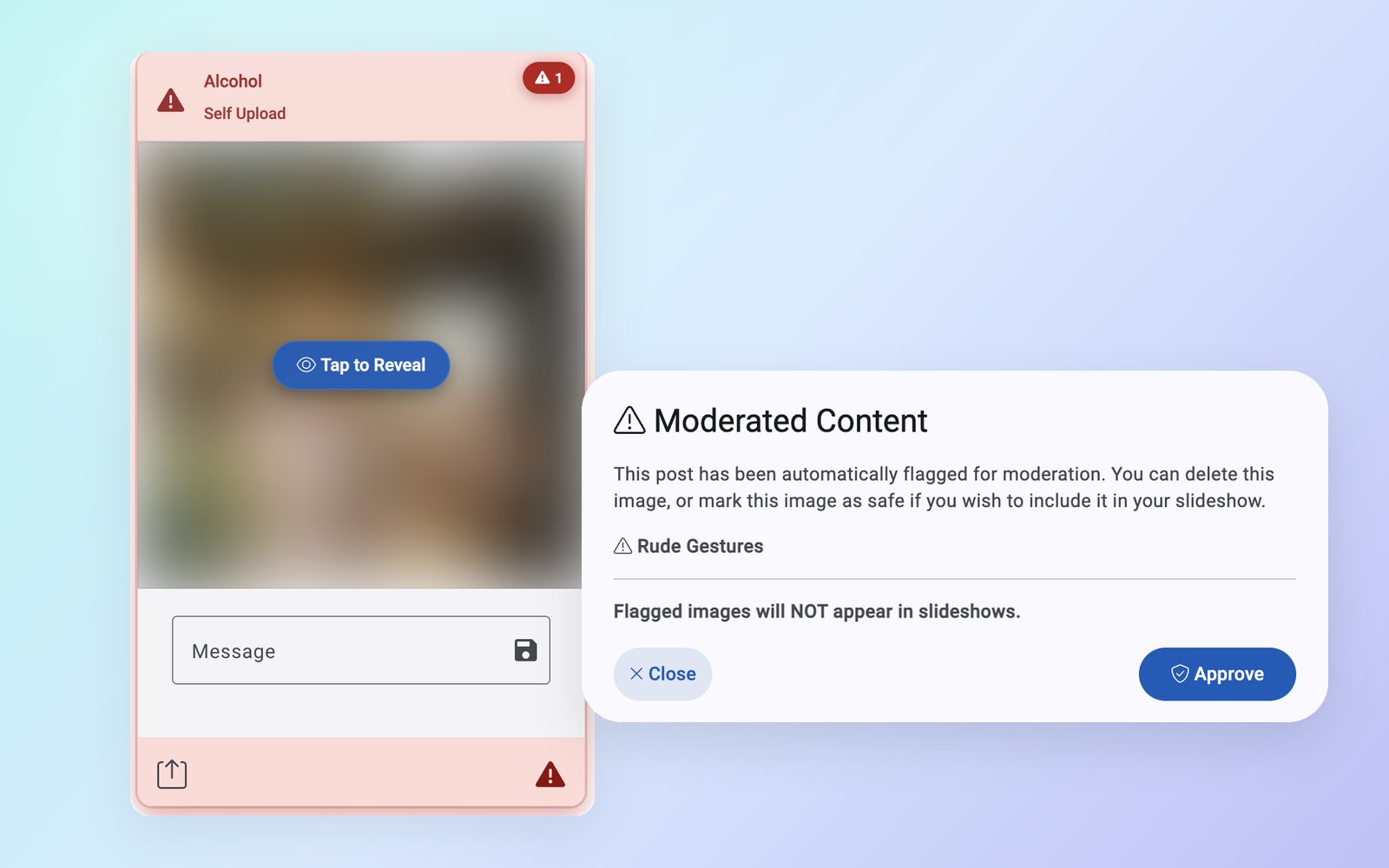
Every submission is screened by AI the moment it arrives. Anything questionable is held back from every screen, gallery, download, and export until someone approves it.
- 11 content-safety categories — from explicit content and violence to alcohol, gambling, and hate symbols — each on or off per number
- Reads text inside images, so an offensive sign or meme doesn't slip through
- Tap to reveal — flagged items stay blurred in your dashboard, with the reason one tap away
- Remote reviewer — let one trusted person approve or reject from any device, no password required
- Optional PIN — only texts that include it make it into your collection
- Block senders in two clicks, and unblock anytime — their messages are archived, not lost
Every photo, display-ready on arrival
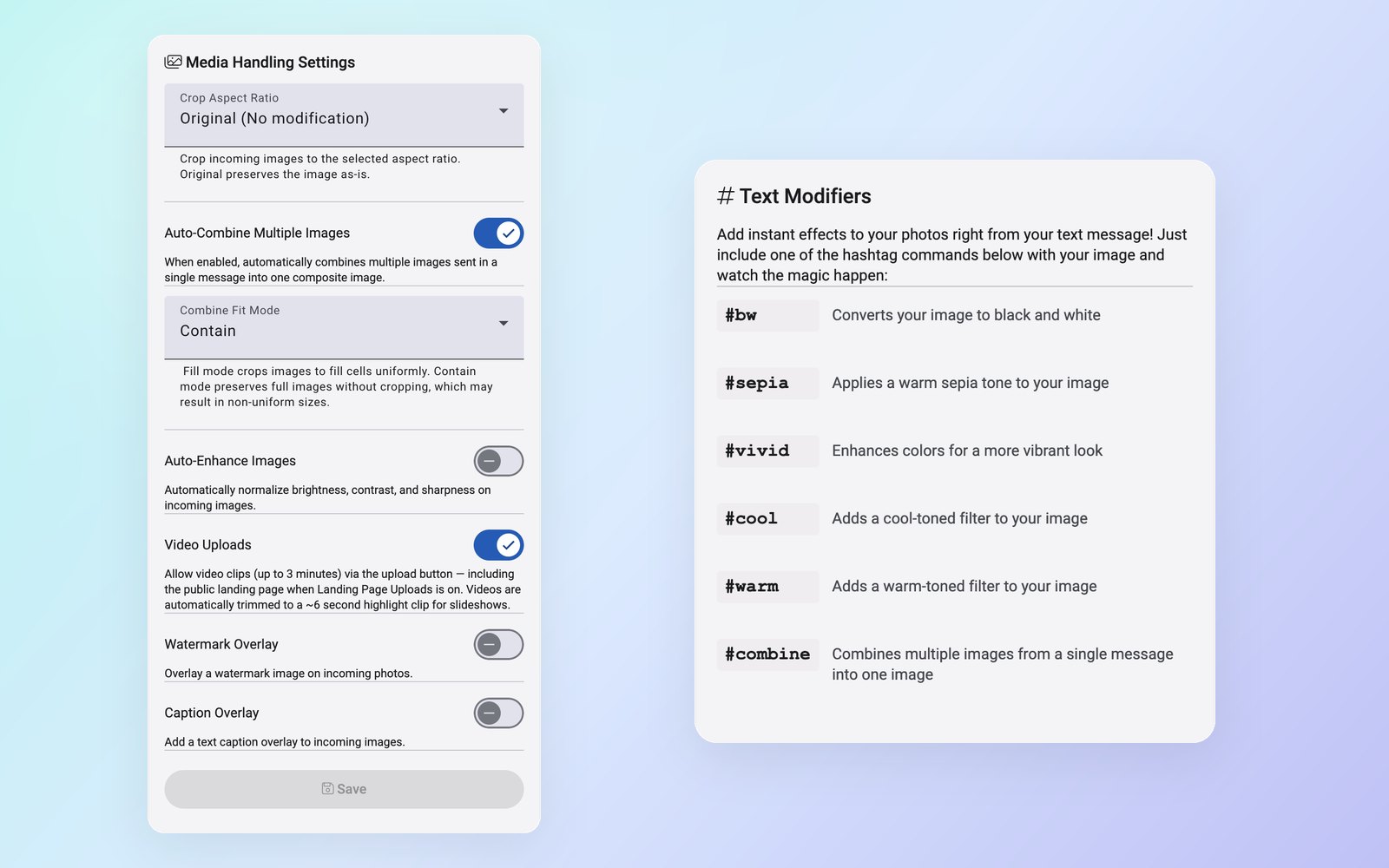
Set your look once and Qwikfolio applies it to every photo that comes in — so shots from a hundred different phones look like one collection.
- Auto-enhance for contrast, sharpness, brightness, and color
- Consistent framing — crop everything to 1:1, 4:3, 16:9, or 9:16 for social posts and signage
- Your watermark on every photo, in the corner you choose, with transparency support
- Caption overlay with your event or company name, light or dark, top or bottom
- Auto-combine multi-photo texts into one clean collage or before-and-after
- Text codes anyone can use — add #bw, #sepia, #vivid, #warm, #cool, or #combine to a message
Search inside every photo
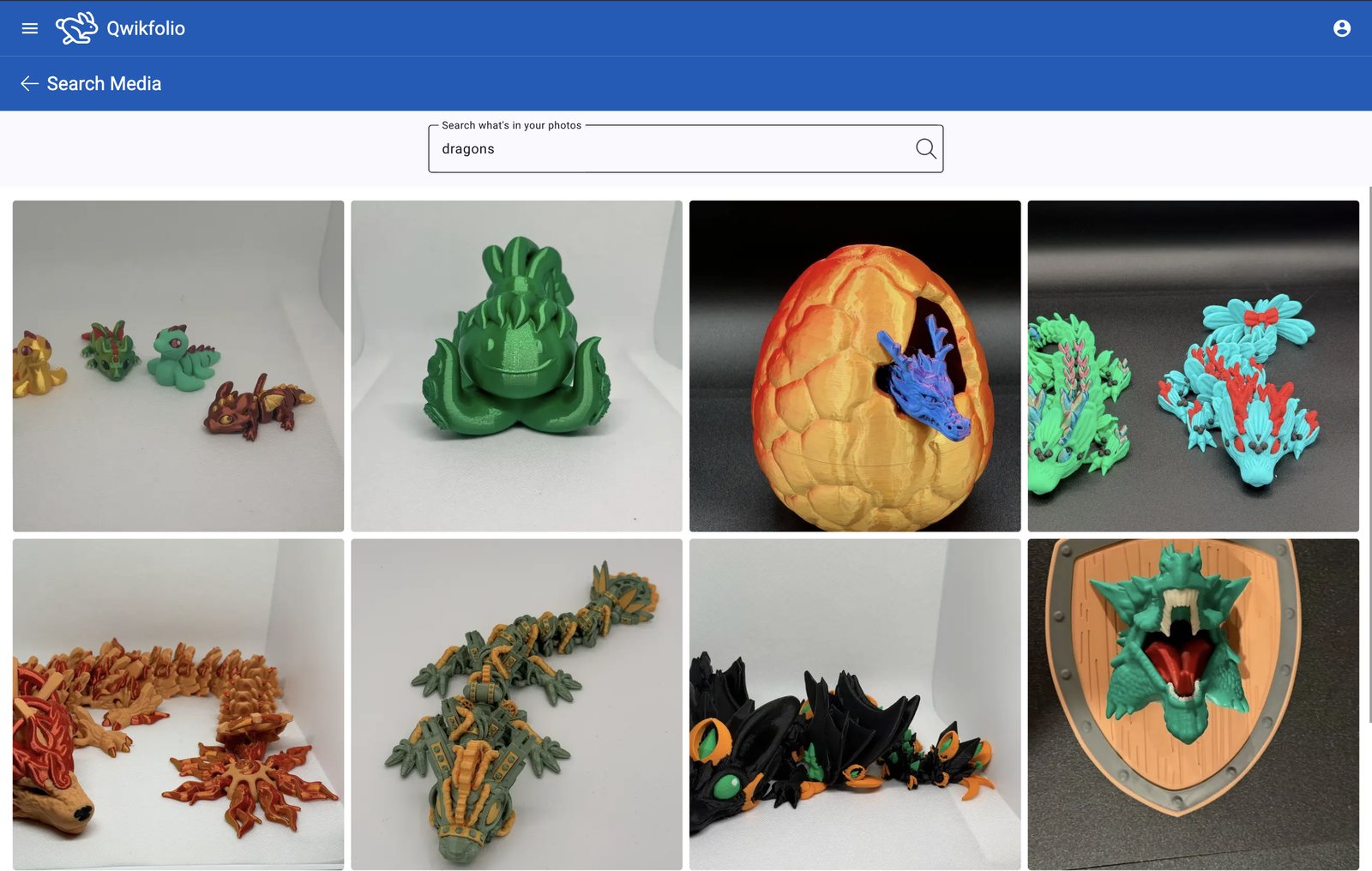
Qwikfolio's AI describes each image, recognizes what's in it, and reads the words it can see. Finding the right shot is as easy as typing what you remember.
- Search by what's pictured — objects, scenes, and related terms (“dog” also finds “animal”)
- Search by words in the photo — banners, jerseys, signs, and name tags
- Search by sender or message — every word a contributor typed
- Smart matching — plurals handled, newest first, with matching labels shown
- Search inside a saved event to find last season's shot in seconds
- Detail view for every item — sender, time, message, AI description, and safety results
Live on every screen, the moment it's approved
Your slideshow and gallery update themselves as media arrives. Put them on the big screen, on your website, or in the lobby — and let the QR code on screen invite the next photo.
- Automatic slideshow at its own link — in order or shuffled, with your logo and optional message captions
- QR code overlay so viewers can join in from their seats
- Branded gallery page with infinite scroll and your logo linking back to your site
- Website embeds — paste the code once and your site stays current on its own
- Qwikfolio TV app for Android smart displays and streaming boxes — pair with a six-character code and auto-start your favorite
- Polished link previews with your name and brand image wherever the link is shared

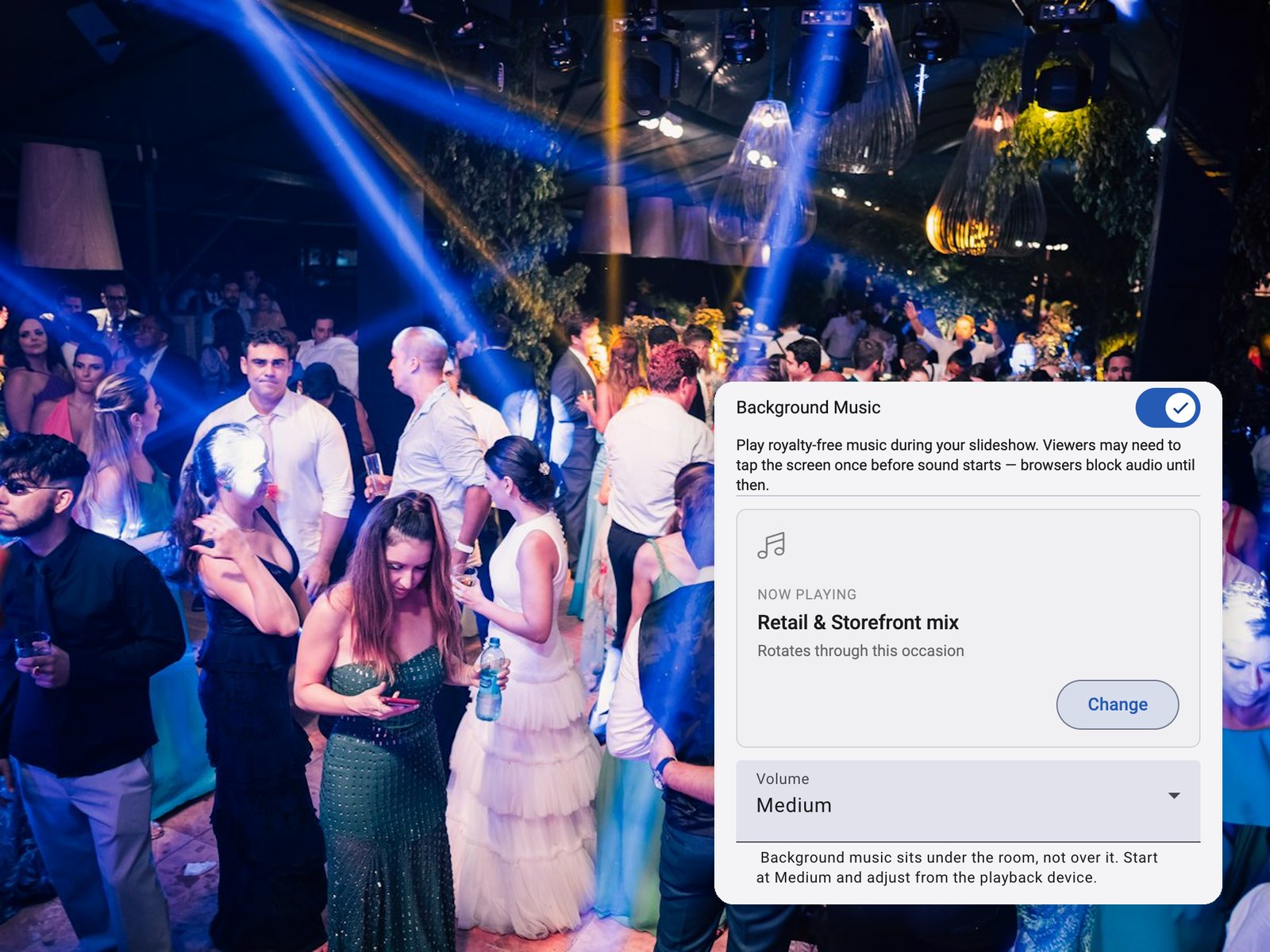
Music that fits the moment
Add royalty-free background music to any slideshow — one favorite track on repeat, or a ready-made playlist for the occasion.
Choose low, medium, or high volume, and shuffle the playlist or play it in order.
Hand it off in one click
When the event wraps, everything is ready to keep, present, or pass along — no dragging files around and no editing.
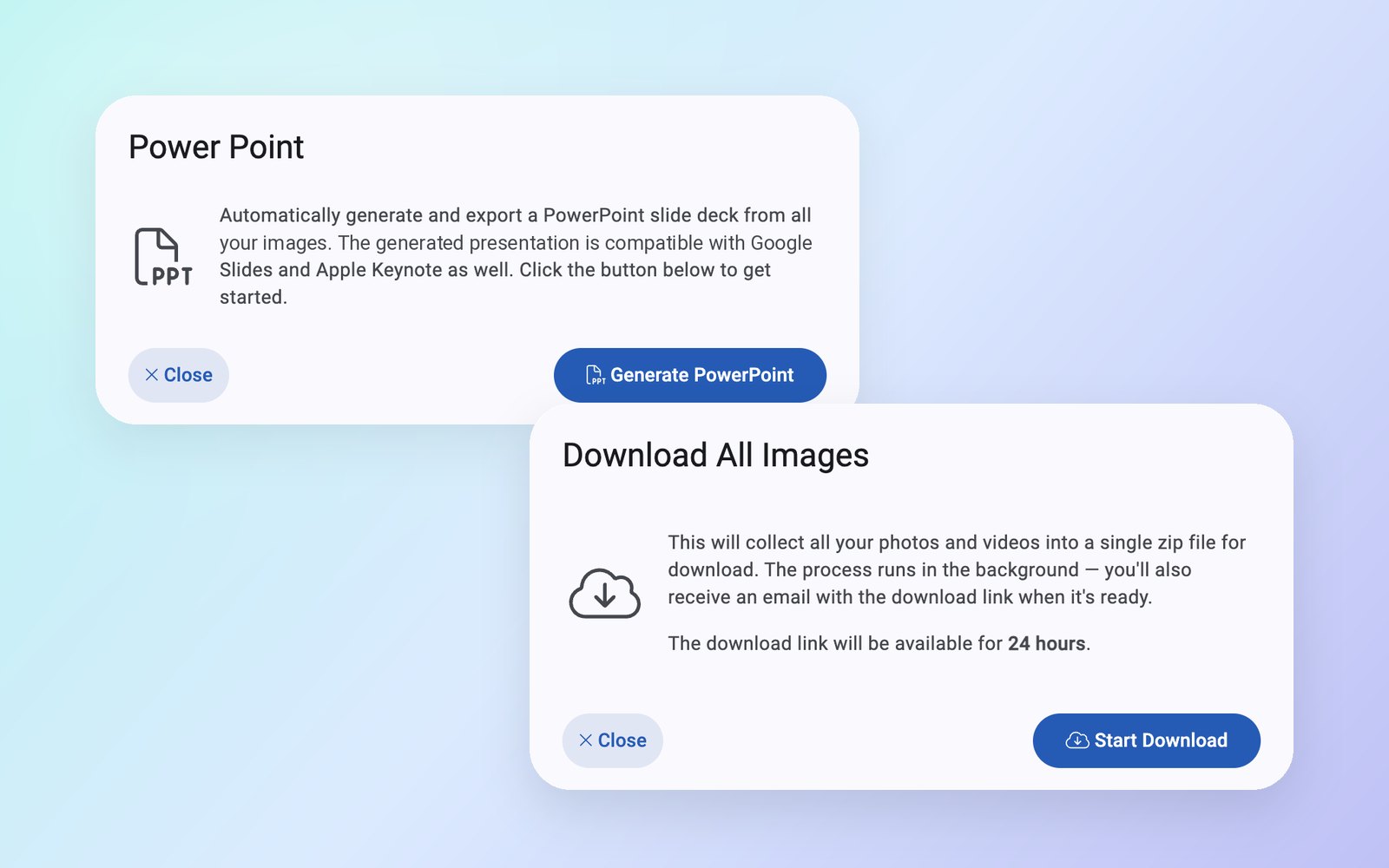
- 1-click PowerPoint — every photo and video highlight in a 16:9 deck that also opens in Google Slides and Keynote, with playable video and your logo and captions if you want them
- Download All — a zip of the whole collection, with the link emailed to you
- Event folders — save a collection, then reset the number for the next one
- Per-event exports — each saved event keeps its own search, downloads, and PowerPoint
- Share or download any single item straight from your phone's share sheet
- Presentation-ready offline — PowerPoints play anywhere, no Wi-Fi required
Plugs into the tools you already use
For teams with a website, CRM, or asset library, Qwikfolio sends every new item wherever you need it — securely and reliably.
- Webhooks for every new photo or video, with the AI description, safety results, sender, and message
- Signed requests (HMAC SHA-256) so you can verify every delivery
- Automatic retries with adjustable timeout, attempts, and backoff
- Ready-to-use examples in Node.js, Python, and PHP right in your settings
- One-click embed codes for your slideshow and gallery
POST https://your-site.com/hooks/qwikfolio
X-Signature-SHA256: 9f2c…e41a

{
  "event": "media_received",
  "from": "(312) •••-8830",
  "message": "Pool day with the whole family!",
  "description": "An outdoor pool framed by palm trees",
  "safe": true
}
Simplified example. Full sample payloads and verification code are in your settings.
The full feature list
No tiers to compare and no add-ons to unlock — every number gets all of it.
Collect
- Private text-in numbers
- Unlimited photos, videos & messages
- Landing page photo & video uploads
- Bulk upload in the app
- Branded landing page
- Print-ready QR codes
- Save-to-contacts card
- Unlimited numbers
Protect
- AI moderation, 11 categories
- Text-in-image screening
- Per-category on/off controls
- Tap-to-reveal review
- Remote reviewer
- Optional PIN
- Sender blocking
- Restorable archive
Polish & Find
- Auto-enhance
- Aspect-ratio cropping
- Watermarks
- Caption overlays
- Auto-combine collages
- #bw, #sepia, #vivid & more
- AI video highlights
- Search inside photos
Present & Deliver
- Live slideshows
- Background music playlists
- QR code overlay
- Branded gallery page
- Website embeds
- Smart TV app
- 1-click PowerPoint
- Download All, event folders & webhooks
One plan. Every feature. Every number.
Each private number is its own yearly subscription with unlimited media and every feature on this page included. Add a number whenever you need another collection running.
- Unlimited photos & videos
- Unlimited messages
- Every feature included
- No overage charges
Feature FAQs
Do contributors need an app or an account?
No. Anyone with a phone that can text can send photos to your private number, and anyone with a web browser can upload photos or videos from your branded landing page. There's nothing to download, no account to create, and no password to remember.
Can people send videos?
Yes. Videos up to three minutes can be uploaded from your landing page or from the Qwikfolio app. AI picks the strongest six seconds — favoring people, action, and good lighting — and trims the clip to fit neatly into slideshows and PowerPoints. (Video isn't accepted by text message, because carriers compress it too heavily.)
What does the AI moderation screen for?
Eleven categories: explicit content; non-explicit nudity and kissing; swimwear or underwear; violence; visually disturbing content; rude gestures; drugs and tobacco; alcohol; gambling; hate symbols; and offensive text that appears inside an image. Each category can be turned on or off for each number, and anything flagged stays out of every slideshow, gallery, download, and export until you or your reviewer approves it.
Can I use Qwikfolio for more than one event?
Absolutely. Claim as many private numbers as you like — one per event, client, property, or team — each with its own branding and settings. Or reuse a single number: save the current collection into an event folder, and the number is ready for the next one.
Can I show the slideshow on a TV or on my website?
Yes. Every number has a live slideshow and gallery at their own links, copy-paste embed codes for your website, and the Qwikfolio TV app for Android smart displays and streaming boxes. They all update automatically as new media is approved.
How do I get everything out when the event is over?
Export a PowerPoint of every photo and video highlight with one click — it opens in PowerPoint, Google Slides, and Keynote — or use Download All to get a zip of the whole collection — the download link is emailed to you as well. Saved events keep their own downloads and PowerPoint exports.
Claim Your Private Number Now
Start collecting media in minutes. No apps for your contributors, no limits on what they send.
Get StartedGet in Touch
Questions about Qwikfolio? Send us a message below — we're here to help.